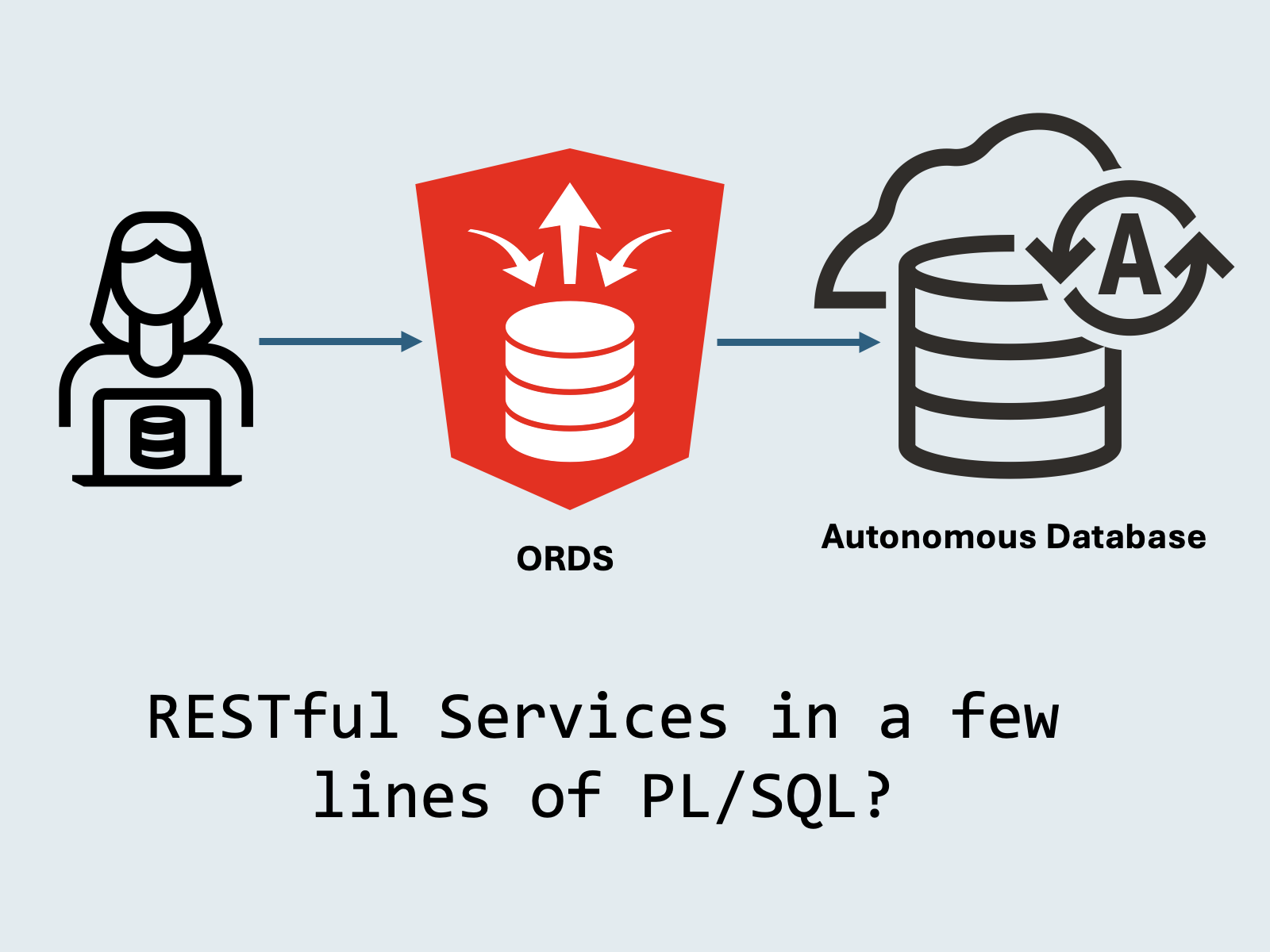
Oracle REST Data Services (ORDS) is free-to-use Java EE server that extends Oracle Database with RESTful services. With ORDS, you get out-of-the-box functionality for your database instance:
- Database management REST APIs
- SQL Developer (web)
- Wire-compatible MongoDB API
- Extensible REST APIs for your data
- Security features like OAuth 2.0 support for custom IDPs, JWTs, and more.
In this article, we’ll explore ORDS’ “Auto REST” capabilities, or how to turn a database schema into a RESTful webservice using only a few lines of PL/SQL and zero backend code.
If you want to follow along, I recommend creating an Autonomous Database instance in Oracle Cloud’s Always-Free tier. However, you can run ORDS for free with any Oracle Database instance, including the all-in-one ADB-free container image.
Create a schema for ORDS
First, we’ll create a schema to use with ORDS. Our schema will be a university with students.
create user university identified by testPWD12345;

GRANT CREATE SESSION TO university;
GRANT UNLIMITED TABLESPACE TO university;
GRANT CONNECT, RESOURCE TO university;Next, we’ll create a table in the UNIVERSITY schema, which we’ll later expose as a RESTful service with ORDS.
create table student (
    id         number(10) generated always as identity primary key,
    first_name varchar2(50) not null,
    last_name  varchar2(50) not null,
    email      varchar2(100),
    major      varchar2(20) not null,
    credits    number(10),
    gpa        number(3,2) check (gpa between 0.00 and 4.00)
);Enabling a schema/table as a RESTful service
To use a schema with ORDS, we must run ORDS.ENABLE_SCHEMA PL/SQL procedure. After running this procedure, the schema is enabled for REST services with ORDS:
begin
   ords.enable_schema(
      p_enabled             => true,
      p_schema              => 'UNIVERSITY',
      p_url_mapping_type    => 'BASE_PATH',
      p_url_mapping_pattern => 'university',
      p_auto_rest_auth      => false
   );
   commit;
end;
/Now that the schema is enabled, we expose the STUDENT table as a RESTful (via Auto REST) service using the ORDS.ENABLE_OBJECT PL/SQL procedure:
begin
   ords.enable_object(
      p_enabled      => true,
      p_schema       => 'UNIVERSITY',
      p_object       => 'STUDENT', -- name of table or view
      p_object_type  => 'TABLE', -- also supports 'VIEW'
      p_object_alias => 'student'
   );
   commit;
end;
/Let’s try it out with a few cURL commands
By default, ORDS enabled services supply the following functionality for a database object:
GET ALLGET SinglePOSTBATCH LOADPUTDELETE
To test things out, you’ll need your ORDS URL, which is available in the Tool Configuration -> Web Access (ORDS) section of the Autonomous Database UI. If you’re running ORDS elsewhere, you’ll need to use that endpoint.

Once you have your ORDS URL, set it in your shell environment, so it can be used with cURL.
export ORDS_URL='https://<my database>.adb.<region>.oraclecloudapps.com/ords'Let’s now go over a few common REST scenarios using the students table and Auto REST!
POST (Insert) a student
Using your ORDS URL (from Autonomous Database or your own installation), let’s try to insert a student object.
curl -X POST $ORDS_URL/university/student/ \
  -H "Content-Type: application/json" \
  -u 'university:testPWD12345' \
  -d '{
    "first_name": "Alice",
    "last_name": "Smith",
    "email": "alice.smith@xyz.edu",
    "major": "Computer Science",
    "credits": 40,
    "gpa": 3.77
}'GET (Select) a student
We can fetch all students with a simple GET, which returns an items array of all students in the database:
curl -X GET $ORDS_URL/university/student/ \
-u 'university:testPWD12345'We can also GET students by ID, or use query parameters for pagination or filtering:
# Get by ID
curl -X GET $ORDS_URL/university/student/1 \
  -u 'university:testPWD12345'
# Get using query parameters
curl -X GET "$ORDS_URL/university/student/?first_name=Alice" \
  -u 'university:testPWD12345'
# Get with pagination
curl -X GET "$ORDS_URL/university/student/?offset=1&limit=5" \
-u 'university:testPWD12345'PUT (Update) a student
Let’s try out a PUT, updating a student to increase their credits and GPA:
curl -X PUT $ORDS_URL/university/student/1 \
  -H "Content-Type: application/json" \
  -u 'university:testPWD12345' \
  -d '{
    "first_name": "Alice",
    "last_name": "Smith",
    "email": "alice.smith@xyz.edu",
    "major": "Computer Science",
    "credits": 80,
    "gpa": 3.80
}'DELETE (Delete) a student
We can delete a student by ID like so, removing it from the students table:
curl -X DELETE $ORDS_URL/university/student/1 \
-u 'university:testPWD12345'That covers the basic CRUD methods for REST! If you’re using JSON Relational Duality Views, Auto REST is also supported!
If you plan to use ORDS in production, I recommend securing your endpoints using OAuth 2.0.
Where can I run ORDS?
You can run ORDS anywhere you run Oracle Database. If you’re running Autonomous Database, ORDS is automatically included as part of the managed database instance in Oracle Cloud.
If you’re hosting Oracle Database in the cloud or on your own hardware, you can download, install, and configure ORDS to use your specific database instance.
References
Questions? Leave a comment or reach out to me on LinkedIn.
Leave a Reply