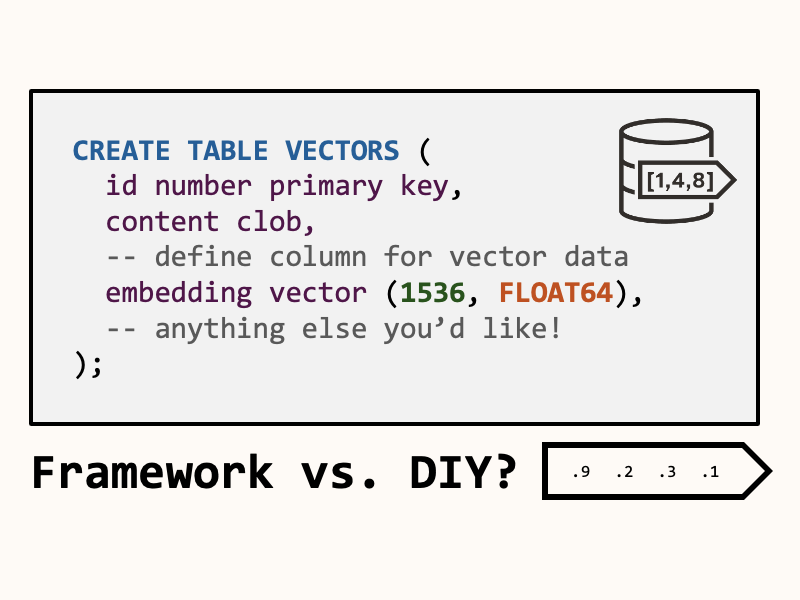
When do you use a framework vs. write your own implementation – especially when it comes to AI? Frameworks can be the fastest path to production, only to act as a stumbling block later on. Often, the design choice isn’t obvious.
To better understand this question, we’ll compare two different vector search implementations using Python and Oracle AI Database, looking at the benefits and drawbacks of each.
In each example, our DB, embedding model, dataset will remain constant, but the API layer, schema control, index control, and observability will change:
- First, we’ll use LangChain to do the heavy lifting.
- Then, we’ll roll up our sleeves and handwrite the vector search SQL queries.
The samples we’ll explore in this article use Testcontainers and OpenAI:
- You can find my Python Testcontainers implementation for Oracle AI Database here.
- You may also want to generate an OpenAI API Key here if you’d like to follow along. You’re also welcome to customize my code to use an LLM provider of your choice!
- If you’d prefer to skip the article and just look at the code, click here.
No idea what a vector database is? That’s OK -> start here.
LangChain implementation
First up is the LangChain vector search implementation. You can find the code on GitHub here.
Let’s start with the dependencies. Because we’re using LangChain, we’ll need a few relevant Python packages:
# LangChain
"langchain-oracledb (>=1.2.0,<2.0.0)",
"langchain-openai (>=1.1.7,<2.0.0)",
"langchain-community (>=0.4.1,<0.5.0)"Then, we implement a fairly standard vector search example using LangChain (vector_search_sample.py). Let’s walk through the step-by-step:
- Create a LangChain
Embeddingsobject configured to use OpenAI’stest-embeddings-3-smallembedding model. We’ll use this to turn text into vector representations. - Start an Oracle AI Database container db and get a database connection. This uses my Testcontainers module for convenience.
- Create a LangChain
langchain_oracledb.OracleVSvector store, providing a table name and vector distance function. The vector store object will transparently create tables, indexes, and provide methods to interact with the vector store (like search). This is nice because we don’t have to write (or even know) the relevant SQL! - We use the
add_textsmethod to insert vectors. The embedding model we created earlier helps convert the text to embeddings on insert. - Lastly, we use the vector store to do a semantic search. Again, the embedding model turns the query text into a query vector for the search (and again, we don’t write a line of SQL).
import getpass
import os

from langchain_community.vectorstores.utils import DistanceStrategy
from langchain_openai import OpenAIEmbeddings
from langchain_oracledb import OracleVS

from src.python_oracle.testcontainers_sample.oracle_database_container import OracleDatabaseContainer


def main():
    dimensions = 1536

    # Load OpenAI API Key from environment
    if not os.getenv("OPENAI_API_KEY"):
        os.environ["OPENAI_API_KEY"] = getpass.getpass("Enter your OpenAI API key: ")

        # Create an OpenAI embedding model
    embeddings = OpenAIEmbeddings(
        model="text-embedding-3-small",
        dimensions=dimensions,
        api_key=os.getenv("OPENAI_API_KEY")
    )

    with OracleDatabaseContainer() as oracledb:
        conn = oracledb.get_connection()
        vector_store = OracleVS(conn,
                 embeddings,
                 table_name="sample_vectors",
                 distance_strategy=DistanceStrategy.COSINE)

        print("#### Embedding Data into Oracle AI Database ####")
        # Save some text into the vector db as embeddings
        vector_store.add_texts([
            "Reset the user’s password, clear MFA lockouts, and unlock the account after verifying identity.",
            "Reinstall the application, clear local cache/temp files, and validate the PDF upload workflow end-to-end.",
            "Submit an access request for the finance dashboard, confirm the required role, and route it to the user’s manager for approval.",
            "Upgrade/reinstall the VPN client, disable Wi‑Fi power-saving for the adapter, and collect logs to confirm the disconnect cause.",
            "Review the workload needs, then recommend object vs. block storage and share the internal storage standards/decision guide.",
        ])

        # Verify the vectors are persisted in the database
        cursor = oracledb.get_connection().cursor()
        print("#### Display Embedded Data ####:")
        for row in cursor.execute('SELECT id, text, metadata, embedding FROM "sample_vectors"'):
            if row is None:
                print("No result from query!")
            print(f"id (binary): {row[0]}, text: {row[1]}, metadata: {row[2]}, embedding: vector[{len(row[3])}]")


        print("\n#### Similarity Search ####")
        query = "My VPN keeps disconnecting every few minutes when I’m on Wi‑Fi, but it stays connected on Ethernet. Can you fix it?"
        print(f"Search query: '{query}'")
        documents = vector_store.similarity_search(query, k=1)

        print("\n#### Top Query Match ####")
        for doc in documents:
            print(doc.page_content)

if __name__ == "__main__":
main()From the python-oracle directory you can run this sample with poetry. You will need a docker-compatible environment to run the sample:
# Install dependencies
poetry install
# Print the command to active a virtual environment
poetry env activate

# You will need an OpenAI API Key :)
# https://platform.openai.com/api-keys
export OPENAI_API_KEY=<Your OpenAI API Key>
# Then run it!
python src/python_oracle/langchain/vector_search_sample.py You should see some output like this, indicating the vector search worked OK:
# ... initializiation logs, creating vectors and such

#### Similarity Search ####
Search query: 'My VPN keeps disconnecting every few minutes when I’m on Wi‑Fi, but it stays connected on Ethernet. Can you fix it?'

#### Top Query Match ####
Upgrade/reinstall the VPN client, disable Wi‑Fi power-saving for the adapter, and collect logs to confirm the disconnect cause.Of course, this is a small subset of what’s possible with Oracle AI Database vectors – but it introduces us to the library, and gets us started with vector search. The OracleVS LangChain module exposes additional functionality for document loading, hybrid/full-text search, and more.
Without LangChain?
Let’s try to implement something similar without LangChain, but still using Python. This time, we’ll just use the oracledb and openai Python packages.
We’ll have to write the SQL queries ourselves 😩
But, I promise it’s not that bad. Let’s get started!
SQL Queries
The vector_search_native.py file contains the full implementation. Let’s break it into two parts, SQL queries and main + methods. First, the headers and SQL queries:
- CREATE_TABLE statement: Creates a sample_vectors table with the
vectordatatype. We (optionally) provide the number of dimensions (1536, from the OpenAI text-embedding-3-small model) and vector data format (FLOAT64). Since we’re creating the table, we can customize this however we want, adding columns or foreign keys. However, let’s keep it simple for this example. - CREATE_INDEX statement: Creates a vector index on the embedding column of the sample_vectors table. We use an Inverted File Index with COSINE distance, 95% target accuracy, and 10 neighbor partitions. This is of course, all customizable depending on your specific use case: see the AI Vector Search User’s Guide. I chose this index because it’s simple and works great for text embeddings.
- INSERT_TEXT_EMBEDDINGS statement: Adds data (text content and vector embeddings) to the sample_vectors table.
- SIMILARITY_SEARCH_QUERY statement: Queries the sample_vectors table using the
vector_distancefunction. We use this function to create a “similarity score” to rank the results, and fetch the first (most similar) result.
import getpass
import os
import array
from typing import Any

import oracledb
from openai import OpenAI

from src.python_oracle.testcontainers_sample.oracle_database_container import OracleDatabaseContainer

DIMENSIONS = 1536

CREATE_TABLE = f"""
create table if not exists sample_vectors (
    id        number generated always as identity primary key,
    content   clob,
    embedding vector({DIMENSIONS}, FLOAT64)
        annotations(Distance 'COSINE', IndexType 'IVF')
)"""

CREATE_INDEX = """
create vector index if not exists idx_sample_vectors on sample_vectors (embedding)
    organization neighbor partitions
    distance COSINE
    with target accuracy 95
    parameters (
        type IVF,
        neighbor partitions 10
    )"""

INSERT_TEXT_EMBEDDING = """
insert into sample_vectors
    (content, embedding) values (:1, :2)"""


SIMILARITY_SEARCH_QUERY = """
select id, content, embedding, (1 - vector_distance(embedding, :1, COSINE)) as score
from sample_vectors
order by score desc
fetch first 1 rows only"""If you’re new to SQL and didn’t get all that, that’s OK. But these are the lower-level primitives that power vector search, so it’s worth exposing yourself to for a better understanding.
Python implementation
Let’s move on to the code. The high-level structure is the same, but we invoke these SQL statements instead of relying on LangChain. Breaking down the main method:
- First, we get an OpenAI client. We’ll use this to create vector embeddings from text.
- Start an Oracle AI Database container db and get a database connection. Again, this uses my Testcontainers module for convenience.
- Run the CREATE_TABLE and CREATE_INDEX statements, initializing our database to store/query vectors with the sample_vectors table.
- Invoke the insert_text_embeddings method to populate the sample_vectors table with text embeddings. This method uses the OpenAI client to turn each sentence into an embedding vector, then uses the INSERT_TEXT_EMBEDDING statement to load the data into the database as a batch.
- Lastly, we invoke the similarity_search method to query our vector embeddings. This method converts the query vector into an embedding, and then uses the SIMLARITY_SEARCH_QUERY statement to find any similar vectors in the sample_vectors table.
def main():
    # Load OpenAI API Key from environment
    if not os.getenv("OPENAI_API_KEY"):
        os.environ["OPENAI_API_KEY"] = getpass.getpass("Enter your OpenAI API key: ")
    openai = OpenAI()

    with OracleDatabaseContainer() as oracledb:
        conn = oracledb.get_connection()
        cursor = conn.cursor()

        print("Creating table if not exists sample_vectors")
        cursor.execute(CREATE_TABLE)
        print("Creating index if not exists idx_sample_vectors")
        cursor.execute(CREATE_INDEX)
        conn.commit()

        print("Loading data into sample_vectors table")
        insert_text_embeddings(conn, openai, texts=[
            "Reset the user’s password, clear MFA lockouts, and unlock the account after verifying identity.",
            "Reinstall the application, clear local cache/temp files, and validate the PDF upload workflow end-to-end.",
            "Submit an access request for the finance dashboard, confirm the required role, and route it to the user’s manager for approval.",
            "Upgrade/reinstall the VPN client, disable Wi‑Fi power-saving for the adapter, and collect logs to confirm the disconnect cause.",
            "Review the workload needs, then recommend object vs. block storage and share the internal storage standards/decision guide.",
        ])

        print("\n#### Display Embedded Data ####:")
        for row in cursor.execute('SELECT id, content, embedding FROM sample_vectors'):
            if row is None:
                print("No result from query!")
            print(f"id: {row[0]}, content: {row[1]}, embedding: vector[{len(row[2])}]")

        print("#### Similarity Search ####")
        query = "My VPN keeps disconnecting every few minutes when I’m on Wi‑Fi, but it stays connected on Ethernet. Can you fix it?"
        print(f"Search query: '{query}'")
        result = similarity_search(conn, openai, query)
        if not result:
            print("No result from similarity search query!")
        else:
            print("#### Top Query Match ####")
            print(f"id: {result[0]}, content: {result[1]}, embedding: vector[{len(result[2])}]")


def embed_text(openai: OpenAI, text: str) -> tuple[str, array.array[float]]:
    embedding = openai.embeddings.create(
        input=text,
        model="text-embedding-3-small"
    ).data[0].embedding
    # python array's "d" typecode corresponds to 64-bit floating point,
    # which is what we use in our sample_vectors table.
    vector = array.array("d", embedding)

    return text, vector

def insert_text_embeddings(conn: oracledb.Connection, openai: OpenAI, texts: list[str]):
    # load embeddings: you may also do this asynchronously
    # as it's a series of network calls.
    data = [embed_text(openai, x) for x in texts]

    # save embeddings as batch
    with conn.cursor() as cursor:
        cursor.executemany(
            INSERT_TEXT_EMBEDDING,
            data
        )
        conn.commit()

def similarity_search(conn: oracledb.Connection, openai: OpenAI, query: str) -> Any:
    _, vector = embed_text(openai, query)
    with conn.cursor() as cursor:
        for row in cursor.execute(
                statement=SIMILARITY_SEARCH_QUERY,
                parameters=(vector,) # expects a tuple!
        ):
            return row

    return None

if __name__ == "__main__":
main()From the python-oracle directory you can run this sample with poetry:
# If you ran the prior example you can skip these three commands:
poetry install
poetry env activate
export OPENAI_API_KEY=<Your OpenAI API Key>

# Then run it!
python src/python_oracle/database/vector_search_native.py The output should look pretty similar to the last example. After all, we’re doing almost the exact same thing, but without LangChain:
# ... initializiation logs, creating vectors and such

#### Similarity Search ####
Search query: 'My VPN keeps disconnecting every few minutes when I’m on Wi‑Fi, but it stays connected on Ethernet. Can you fix it?'
#### Top Query Match ####
id: 4, content: Upgrade/reinstall the VPN client, disable Wi‑Fi power-saving for the adapter, and collect logs to confirm the disconnect cause., embedding: vector[1536]Summary: When to use a framework vs. roll your own solution
Examining the two implementations, the LangChain solution is obviously quite simpler. It uses less lines of code, relies on higher-level abstractions, and doesn’t require you to write any SQL whatsoever.
However, frameworks also hides the details. LangChain creates and manages your schema, making it harder to manage relationships, use custom data types (what if I want to store my vectors in JSON documents?), or use advanced database features like events. The following basic operations become hard with frameworks like LangChain:
- schema ownership and naming conventions
- index type/parameters and how to tune them
- transaction boundaries and commit behavior
- ability to use advanced SQL constructs (CTEs, analytic functions, joins)
- handling deletes/updates and re-embedding workflows
The similarity search function is another example of this. With handwritten SQL, we can customize, tune, and relate to other data as needed.
E.g., adding predicates to similarity search:
select id, content, embedding, (1 - vector_distance(embedding, :1, COSINE)) as score
  from sample_vectors
  -- basic predicate filter, endless possibilities
  where department = :2
  order by score desc
fetch first 1 rows onlyWhat’s the verdict?
- LangChain: prototyping, portability across stores, small team, fast iteration.
- DIY: strict governance, custom schema, complex joins/filters, performance tuning, long-lived systems.
It all comes down to abstraction convenience vs. explicit control.
I don’t think there’s a clear one-size-fits-all answer to this question. My key takeaway is to know what you’re signing up for when you choose a framework. Design choices like this are often difficult to shake once you’re deep into a project’s lifecycle.
Conversely, with DIY you take on additional load: you own retry logic, batching, async embedding calls, index/query tuning, and more.
A possible balanced approach is to progressively adopt capabilities of a framework. Just because you use LangChain doesn’t mean you need to use it for everything. For example, you can use LangChain for embeddings + document loading, but write your own SQL for retrieval step. Let the framework work for you, rather than trying to bend it to your needs.
Leave a Reply