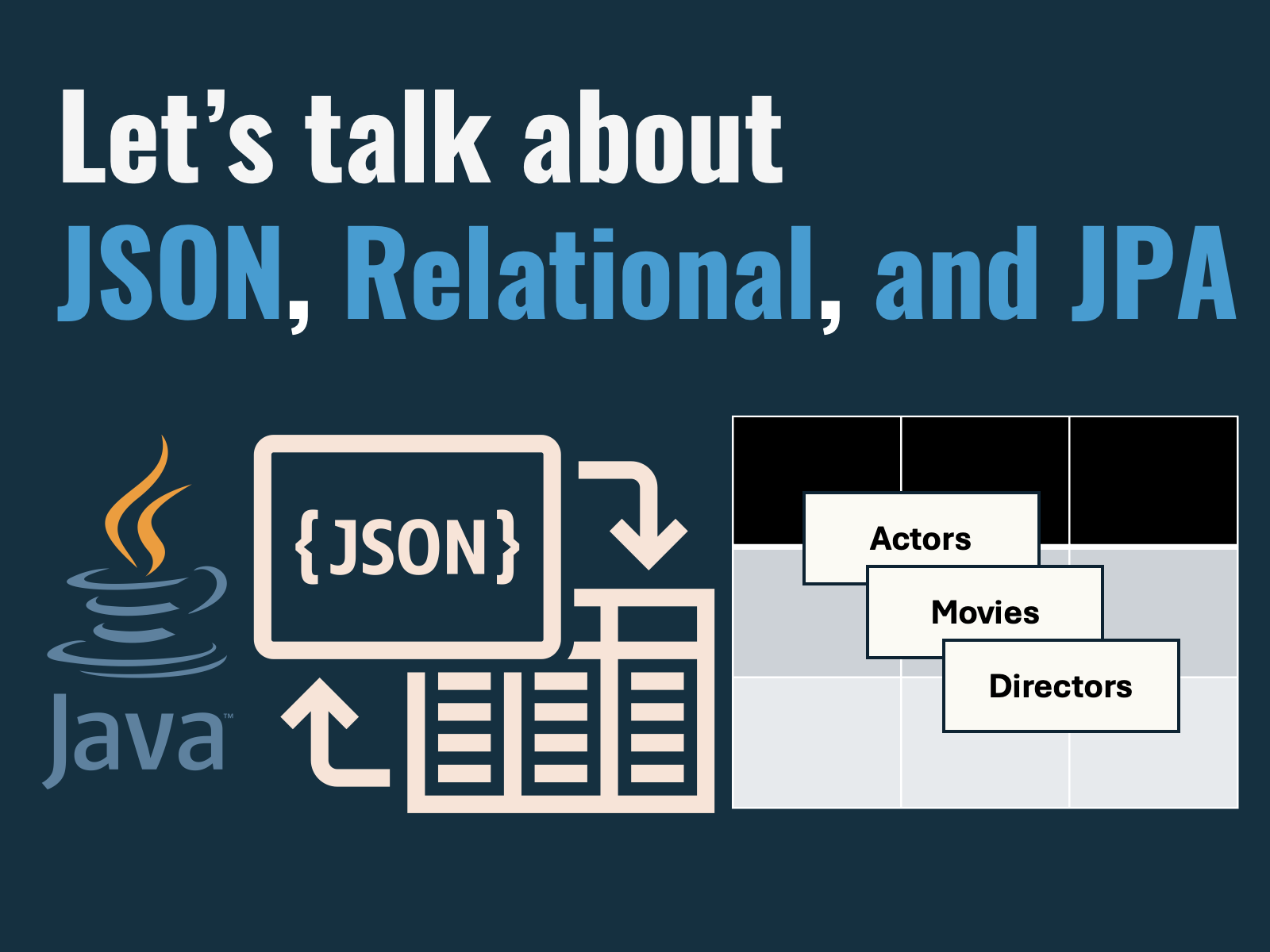
Oracle AI Database’s JSON Relational Duality Views (or simply duality views) let you treat relational tables and JSON documents as two sides of the same model: build your relational schema, and use comprehensive, normalized JSON documents on top.
In this article, we’ll walk through the json/jpa-duality-views sample, which combines Spring Boot, Spring Data JPA, and the Oracle JSON Duality View Spring Boot starter to generate read/write duality views from annotated JPA entities at application startup.
The result is a streamlined workflow: POST familiar Java objects, persist them with a simple insert into <view> (data), and read back a fully hydrated aggregate (actors, movies, and directors) in a single round trip. There’s no client-side joins, no extra mapping layers, and no N+1 query problem: all because duality views handle the multi-table inserts, joins, and updates server-side.
Sample Overview
Spring Boot application (com.example.jdv.Application) wires the duality view builder via @JsonRelationalDualityViewScan, ensuring every entity annotated with @JsonRelationalDualityView produces a duality view at startup.
@SpringBootApplication(scanBasePackages = {
        "com.example.jdv",
        // Enable the duality view event listener
        "com.oracle.spring.json.duality.builder"
})JPA entities in com.example.jdv.movie models actors, movies, and directors with standard JPA relationships. Identity columns (GenerationType.IDENTITY) let Oracle assign numeric keys that automatically surface as _id fields in the JSON view.
@Entity
@Table(name = "actor")
@JsonRelationalDualityView(accessMode = @AccessMode(insert = true))
public class Actor {
    @JsonbProperty(_ID_FIELD)
    @Id
    @Column(name = "actor_id")
    @GeneratedValue(strategy = GenerationType.IDENTITY)
private Long actorId;Controller layer (JDVController) uses duality views and Spring’s JdbcClient to insert serialized JSON (OSON – Oracle’s efficient, binary JSON format) payloads into the database, capture generated IDs with a RETURNING clause, and map query results back into typed entities.
insert into actor_dv (data) values (?)
returning json_value(data, '$._id' returning number) into ?Integration test (ApplicationTest) runs against Oracle AI Database Free with Testcontainers, validating the entire flow without manual database setup.
From entities to duality views
To add the duality view/JPA entity generator to your project, use the oracle-spring-boot-json-relational-duality-views dependency. This package includes all required Oracle JDBC dependencies, and utility classes for working with duality views and JSON.
<dependency>
<groupId>com.oracle.database.spring</groupId>
<artifactId>oracle-spring-boot-json-relational-duality-views</artifactId>
</dependency>Then, you can annotate your entities (or plain Java classes) with @JsonRelationalDualityView to generate a read/write duality view.
@Entity
@Table(name = "actor")
// Create a duality view from the Actor class, allowing read/write
@JsonRelationalDualityView(accessMode = @AccessMode(insert = true))
public class Actor {
@JsonbProperty("_id")
@Id
@GeneratedValue(strategy = GenerationType.IDENTITY)
private Long actorId;
private String firstName;
private String lastName;
@ManyToMany(mappedBy = "actors")
// Nest movies in the resulting view
@JsonRelationalDualityView(name = "movies", accessMode = @AccessMode(insert = true))
private Set<Movie> movies;
}We configure duality view generation in Spring JPA settings. The same ddl-auto values for JPA can be used for duality views:
spring:
jpa:
hibernate:
ddl-auto: create-drop
show-sql: true
dv:
# create-drop views after JPA ddl-auto is complete
ddl-auto: create-drop
# Print JSON Relational Duality Views to the console
show-sql: trueBreaking down the custom annotations
- The
@JsonRelationalDualityViewannotation denotes that a class (usually a JPA entity) should have a duality view generated from its structure. Fields and annotations on the class are used to dynamically construct the duality view.- You may apply this annotation to any nested classes to create nested objects in your view.
- The
@AccessModeannotation is used to specify insert, update, and delete functionality on view objects. By default, read-only access is granted in the generated view. - The
@JsonbProperty("_id")annotation is recommended for any root ID fields: duality views use the_idfield in JSON documents for the root primary key.
Actor Entity
The Actor JPA entity will be our root object for the JSON Relational Duality View. We annotate it with @JsonRelationalDualityView(accessMode = @AccessMode(insert = true)) to specify view creation with @insert grants for read/write. The @JsonbProperty annotation is used in all entities to override field names during JSON serde.
The movie field in the Actor entity is also annotated with @JsonRelationalDualityView(name = "movies", accessMode = @AccessMode(insert = true)). The movie object nests in the root actor object for read/write.
package com.example.jdv.movie;
import com.oracle.spring.json.duality.annotation.AccessMode;
import com.oracle.spring.json.duality.annotation.JsonRelationalDualityView;
import jakarta.json.bind.annotation.JsonbProperty;
import jakarta.persistence.*;
import java.util.HashSet;
import java.util.Objects;
import java.util.Set;
import static com.oracle.spring.json.duality.builder.Annotations._ID_FIELD;
@Entity
@Table(name = "actor")
@JsonRelationalDualityView(accessMode = @AccessMode(insert = true))
public class Actor {
    @JsonbProperty(_ID_FIELD)
    @Id
    @Column(name = "actor_id")
    @GeneratedValue(strategy = GenerationType.IDENTITY)
    private Long actorId;
@Column(name = "first_name", nullable = false, length = 50)
private String firstName;
@Column(name = "last_name", nullable = false, length = 50)
private String lastName;
@ManyToMany(mappedBy = "actors")
@JsonRelationalDualityView(name = "movies", accessMode = @AccessMode(insert = true))
private Set<Movie> movies;
// ...getters and setters
}Movie Entity
The Movie entity nests the Director field using the @JsonRelationalDualityView annotation, and marks it’s Actor field with @JsonbTransient to avoid document recursion during serialization – because movies and actors have a many-to-many relationship.
package com.example.jdv.movie;

import com.oracle.spring.json.duality.annotation.AccessMode;
import com.oracle.spring.json.duality.annotation.JsonRelationalDualityView;
import jakarta.json.bind.annotation.JsonbProperty;
import jakarta.json.bind.annotation.JsonbTransient;
import jakarta.persistence.*;

import java.util.Objects;
import java.util.Set;

@Entity
@Table(name = "movie")
public class Movie {
    @Id
    @Column(name = "movie_id")
    @JsonbProperty("_id")
    @GeneratedValue(strategy = GenerationType.IDENTITY)
    private Long movieId;

    @Column(name = "title", nullable = false, length = 100)
    private String title;

    @Column(name = "release_year")
    private Integer releaseYear;

    @Column(name = "genre", length = 50)
    private String genre;

    @ManyToOne
    @JoinColumn(name = "director_id")
    @JsonRelationalDualityView(accessMode = @AccessMode(insert = true))
    private Director director;

    @ManyToMany
    @JsonbTransient
    @JoinTable(
            name = "movie_actor",
            joinColumns = @JoinColumn(name = "movie_id"),
            inverseJoinColumns = @JoinColumn(name = "actor_id")
    )
    private Set<Actor> actors;

    // ...getters and setters
}Director Entity
Lastly, we have our director entity. We only need to mark the movie field with @JsonbTransient to avoid recursion in the duality view.
package com.example.jdv.movie;

import jakarta.json.bind.annotation.JsonbProperty;
import jakarta.json.bind.annotation.JsonbTransient;
import jakarta.persistence.*;

import java.util.Objects;
import java.util.Set;

import static com.oracle.spring.json.duality.builder.Annotations._ID_FIELD;

@Entity
@Table(name = "director")
public class Director {
    @JsonbProperty(_ID_FIELD)
    @Id
    @Column(name = "director_id")
    @GeneratedValue(strategy = GenerationType.IDENTITY)
    private Long directorId;

    @Column(name = "first_name", nullable = false, length = 50)
    private String firstName;

    @Column(name = "last_name", nullable = false, length = 50)
    private String lastName;

    @JsonbTransient
    @OneToMany(mappedBy = "director") // Reference related entity's associated field
    private Set<Movie> movies;

    // ...getters and setters
}Resulting Duality View
Let’s look at the generated actor_dv duality view (including nested movie and director objects). The many-to-many relationship between actors and movies and one-to-one relationship between movies and directors are honored in the view.
create force editionable json relational duality view actor_dv as actor @insert {
  _id : actor_id
  firstName : first_name
  lastName : last_name
  movies : movie_actor @insert [ {
    movie @unnest @insert {
      _id : movie_id
      title
      releaseYear : release_year
      genre
      director @insert @link (from : [director_id]) {
        _id : director_id
        firstName : first_name
        lastName : last_name
      }
    }
  } ]
}This allows us to work with JSON documents that look like this, as we’ll see later on when running the test:
{
    "_id": 1,
    "firstName": "John",
    "lastName": "Doe",
    "movies": [
        {
            "_id": 1,
            "director": {
                "_id": 1,
                "firstName": "Tim",
                "lastName": "Smith"
            },
            "genre": "action",
            "releaseYear": 1993,
            "title": "my movie"
        }
    ]
}Writing a simple controller for the view
The JDVController class provides a reference implementation for saving and retrieving JSON documents. The Actor class is converted to binary OSON, and persisted to the duality view:
package com.example.jdv.controller;
import com.example.jdv.movie.Actor;
import com.example.jdv.movie.Movie;
import com.oracle.spring.json.duality.annotation.JsonRelationalDualityView;
import com.oracle.spring.json.jsonb.JSONB;
import com.oracle.spring.json.jsonb.JSONBRowMapper;
import oracle.jdbc.OraclePreparedStatement;
import oracle.jdbc.OracleTypes;
import org.springframework.jdbc.core.simple.JdbcClient;
import org.springframework.web.bind.annotation.GetMapping;
import org.springframework.web.bind.annotation.PostMapping;
import org.springframework.web.bind.annotation.RestController;
import javax.sql.DataSource;
import java.nio.ByteBuffer;
import java.sql.Connection;
import java.sql.PreparedStatement;
import java.sql.ResultSet;
import java.sql.SQLException;
import java.util.Optional;
import java.util.UUID;
import static com.oracle.spring.json.duality.builder.Annotations.getViewName;
@RestController
public class JDVController {
private final JSONB jsonb;
private final JdbcClient jdbcClient;
private final DataSource dataSource;
public JDVController(JSONB jsonb, JdbcClient jdbcClient, DataSource dataSource) {
this.jsonb = jsonb;
this.jdbcClient = jdbcClient;
this.dataSource = dataSource;
}
@PostMapping("/actor")
public Actor createActor(Actor actor) {
long id = save(actor, Actor.class);
return findById(Actor.class, id).orElse(null);
}
@GetMapping("/actor")
public Actor findById(Long id) {
return findById(Actor.class, id).orElse(null);
}
public <T> long save(T entity, Class<T> entityJavaType) {
String viewName = getViewName(entityJavaType, entityJavaType.getAnnotation(JsonRelationalDualityView.class));
final String sql = """
insert into %s (data) values (?)
returning json_value(data, '$._id' returning number) into ?
""".formatted(viewName);
byte[] oson = jsonb.toOSON(entity);
try (Connection conn = dataSource.getConnection();
OraclePreparedStatement ps = (OraclePreparedStatement) conn.prepareStatement(sql)) {
ps.setObject(1, oson, OracleTypes.JSON);
// Register the RETURNING bind (2nd bind)
ps.registerReturnParameter(2, OracleTypes.NUMBER);
ps.executeUpdate();
// Get returned JSON document
try (ResultSet rs = ps.getReturnResultSet()) {
if (rs.next()) {
return rs.getLong(1);
} else {
throw new SQLException("Insert failed: no returned document obtained.");
}
}
} catch (SQLException e) {
throw new RuntimeException(e);
}
}
public <T> Optional<T> findById(Class<T> entityJavaType, Long id) {
String viewName = getViewName(entityJavaType, entityJavaType.getAnnotation(JsonRelationalDualityView.class));
final String sql = """
select * from %s dv
where dv.data."_id" = ?
""".formatted(viewName);
JSONBRowMapper<T> rowMapper = new JSONBRowMapper<>(jsonb, entityJavaType);
return jdbcClient.sql(sql)
.param(id)
.query(rowMapper)
.optional();
}
}Time to try it out
The ApplicationTest class runs through a simple save/find workflow with the Actor entity, nested Movie and Director objects. The Actor, Movie, and Director objects are created and retrieved in one round-trip:
package com.example.jdv;
import com.example.jdv.controller.JDVController;
import com.example.jdv.movie.Actor;
import com.example.jdv.movie.Director;
import com.example.jdv.movie.Movie;
import jakarta.json.bind.JsonbBuilder;
import jakarta.json.bind.JsonbConfig;
import org.eclipse.yasson.YassonJsonb;
import org.junit.jupiter.api.Test;
import org.springframework.beans.factory.annotation.Autowired;
import org.springframework.boot.test.context.SpringBootTest;
import org.springframework.boot.testcontainers.service.connection.ServiceConnection;
import org.testcontainers.junit.jupiter.Container;
import org.testcontainers.oracle.OracleContainer;
import java.util.Set;
import static org.assertj.core.api.Assertions.assertThat;
@SpringBootTest
public class ApplicationTest {
// Pre-pull this image to avoid testcontainers image pull timeouts:
// docker pull gvenzl/oracle-free:23.26.1-slim-faststart
@Container
@ServiceConnection
private static final OracleContainer oracleContainer = new OracleContainer("gvenzl/oracle-free:23.26.1-slim-faststart")
.withUsername("testuser")
.withPassword("testpwd");
@Autowired
private JDVController jdvController;
@Test
public void createMovieActorJDV() {
Director director = new Director();
director.setFirstName("Tim");
director.setLastName("Smith");
Movie movie = new Movie();
movie.setTitle("my movie");
movie.setGenre("action");
movie.setReleaseYear(1993);
movie.setDirector(director);
Actor actor = new Actor();
actor.setFirstName("John");
actor.setLastName("Doe");
actor.setMovies(Set.of(movie));
Actor actorCreated = jdvController.createActor(actor);
Set<Movie> movies = actorCreated.getMovies();
assertThat(movies).hasSize(1);
Movie actorMovie = movies.iterator().next();
assertThat(actorMovie.getTitle()).isEqualTo(movie.getTitle());
assertThat(actorMovie.getDirector().getFirstName()).isEqualTo(movie.getDirector().getFirstName());
YassonJsonb yassonJsonb = (YassonJsonb) JsonbBuilder.newBuilder()
.withConfig(new JsonbConfig().withFormatting(true))
.build();
String actorString = yassonJsonb.toJson(actorCreated);
System.out.println("created actor: \n" + actorString);
}
}You can run the test locally, with Java 21+, Maven 3, and a docker-compatible environment to spin up Oracle AI Database:
mvn testYou should see output similar to the following – observe how duality view creation occurs after Hibernate creates the backing relational tables:
Hibernate: drop table if exists actor cascade constraints
Hibernate: drop table if exists director cascade constraints
Hibernate: drop table if exists movie cascade constraints
Hibernate: drop table if exists movie_actor cascade constraints
Hibernate: create table actor (actor_id number(19,0) generated by default as identity, first_name varchar2(50 char) not null, last_name varchar2(50 char) not null, primary key (actor_id))
Hibernate: create table director (director_id number(19,0) generated by default as identity, first_name varchar2(50 char) not null, last_name varchar2(50 char) not null, primary key (director_id))
Hibernate: create table movie (release_year number(10,0), director_id number(19,0), movie_id number(19,0) generated by default as identity, genre varchar2(50 char), title varchar2(100 char) not null, primary key (movie_id))
Hibernate: create table movie_actor (actor_id number(19,0) not null, movie_id number(19,0) not null, primary key (actor_id, movie_id))
Hibernate: alter table if exists movie add constraint FKbi47w3cnsfi30gc1nu2avgra2 foreign key (director_id) references director
Hibernate: alter table if exists movie_actor add constraint FK69qnqd5hnjn2aykvxcj72r9i5 foreign key (actor_id) references actor
Hibernate: alter table if exists movie_actor add constraint FKhedvt8u16luotgyoel4fqy7t1 foreign key (movie_id) references movie
2026-02-25T11:40:07.090-08:00 INFO 37512 --- [ main] j.LocalContainerEntityManagerFactoryBean : Initialized JPA EntityManagerFactory for persistence unit 'default'
2026-02-25T11:40:07.103-08:00 WARN 37512 --- [ main] o.s.core.annotation.MergedAnnotation : Failed to introspect meta-annotation @ConditionalOnClass on public com.oracle.spring.json.kafka.OSONKafkaSerializationFactory com.oracle.spring.json.JsonCollectionsAutoConfiguration.osonSerializationFactory(com.oracle.spring.json.jsonb.JSONB): java.lang.TypeNotPresentException: Type org.apache.kafka.common.serialization.Deserializer not present
2026-02-25T11:40:07.151-08:00 WARN 37512 --- [ main] JpaBaseConfiguration$JpaWebConfiguration : spring.jpa.open-in-view is enabled by default. Therefore, database queries may be performed during view rendering. Explicitly configure spring.jpa.open-in-view to disable this warning
2026-02-25T11:40:07.300-08:00 INFO 37512 --- [ main] com.example.jdv.ApplicationTest : Started ApplicationTest in 8.744 seconds (process running for 10.706)
JSON Relational Duality Views: drop view actor_dv
JSON Relational Duality Views: create force editionable json relational duality view actor_dv as actor @insert {
_id : actor_id
firstName : first_name
lastName : last_name
movies : movie_actor @insert [ {
movie @unnest @insert {
_id : movie_id
title
releaseYear : release_year
genre
director @insert @link (from : [director_id]) {
_id : director_id
firstName : first_name
lastName : last_name
}
}
} ]
}
created actor:
{
    "_id": 1,
    "firstName": "John",
    "lastName": "Doe",
    "movies": [
        {
            "_id": 1,
            "director": {
                "_id": 1,
                "firstName": "Tim",
                "lastName": "Smith"
            },
            "genre": "action",
            "releaseYear": 1993,
            "title": "my movie"
        }
    ]
}Final thoughts
JSON Relational Duality Views are a practical wayto use nested, document-shaped payloads without giving up the strengths of a normalized relational schemas.
In the sample you saw how far you can get with just a few annotations: Spring Boot generates the duality views at startup, you persist with a straightforward insert into <view> (data), and you read back a relational document aggregate in one round trip.
Duality views shift the “assembly work” to where it belongs: inside the database, close to the data. Oracle AI Database handles multi-table inserts, joins, and updates server-side, while your application stays focused on business logic and clean JSON endpoints.
From here, try expanding the domain model, enabling additional access modes (update/delete) where appropriate, and experimenting with larger aggregates to see how duality views simplify both persistence and retrieval as your schema grows.
Leave a Reply