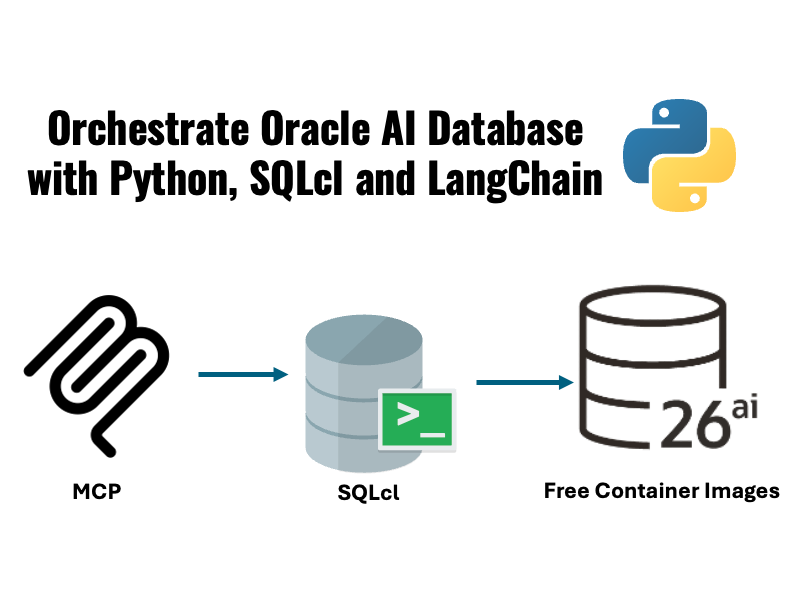
Want to ask to use Model Context Protocol (MCP) to orchestrate Oracle AI Database from Python apps?
In this article, we’ll build a small agent using Python, LangChain, SQLcl MCP, and Oracle AI Database Free. The app takes a user prompt and then uses SQLcl’s MCP server to inspect the schema, generate a read-only query and return a concise answer.
This pattern is extensible to any database interaction over MCP, orchestrated by Python code.
If you’d rather skip the article and jump straight to the code, the sample is here: SQLcl MCP Python agent on GitHub.
Overview
We’ll build a small sample that includes:
- a Docker Compose file that starts Oracle AI Database Free and seeds some data
- SQLcl that runs as an MCP server with
sql -mcp - LangChain bindings to build a small Python agent the includes the SQLcl MCP connection

SQLcl exposes database tools over MCP, LangChain consumes those tools, and the agent decides when to inspect database metadata, when to run SQL, and how to summarize the result.
Prereqs
You’ll need:
- Docker-compatible environment and Docker Compose
- Python 3.13 or higher
- SQLcl 26.1 or higher, installed and available on your
PATH - an OpenAI API key in
OPENAI_API_KEY
Run commands from the python-oracle directory:
Start Oracle AI Database Free
First, start up the Oracle AI Database Free container from the python-oracle directory with docker-compose:
docker compose -f src/python_oracle/mcp_agent/docker-compose.yml up -dThis starts an Oracle AI Database Free on localhost:1531/freepdb1, with a simple games schema containing the following tables:
PLAYERSGAMESGAME_SESSIONS
You can find the database init script here: grant_permissions.sql:
create table testuser.players (
    player_id     number generated always as identity primary key,
    username      varchar2(50) not null,
    signup_date   date default sysdate,
    country       varchar2(50)
);

create table testuser.games (
    game_id       number generated always as identity primary key,
    game_name     varchar2(100) not null,
    genre         varchar2(50),
    release_year  number(4)
);

create table testuser.game_sessions (
    session_id    number generated always as identity primary key,
    player_id     number not null,
    game_id       number not null,
    play_date     date default sysdate,
    score         number,
    duration_min  number,
    foreign key (player_id) references testuser.players(player_id),
    foreign key (game_id) references testuser.games(game_id)
);Save a SQLcl connection for MCP
SQLcl MCP uses saved SQLcl connections. Save the sample connection once:
sql /nolog
conn -save python_mcp -savepwd testuser/testpwd@//localhost:1531/freepdb1
exitThe saved python_mcp connection will be used by the Python agent uses when it opens a SQLcl MCP session.
Run the Python agent
Install dependencies with poetry:
poetry installThen, run the interactive terminal app:
OPENAI_API_KEY=<your-openai-api-key> poetry run python src/python_oracle/mcp_agent/sqlcl_mcp_agent.py --connection python_mcpTry prompts like:
List the top 10 players by score.Show average session duration by country.Which games released after 2010 have the most sessions?
Here’s the runtime flow:

The agent can inspect schema metadata first, then run a read-only SQL query, then turn the rows into a short answer.
LangChain + SQLcl MCP implementation
The full Python file is here: sqlcl_mcp_agent.py. Let’s break it down, looking at the most relevant sections.
1. Register SQLcl an MCP server using the stdio protocol
We create a MultiServerMCPClient with one server named sqlcl:
def mcp_client(sqlcl_command: str) -> MultiServerMCPClient:
    return MultiServerMCPClient(
        {
            SQLCL_SERVER_NAME: {
                "command": sqlcl_command,
                "args": ["-mcp"],
                "transport": "stdio",
            }
        }
)This instructs the Python process to start SQLcl with sql -mcp for stdio transport.
2. connect through the saved SQLcl connection
Before loading tools, the app calls SQLcl MCP’s connect tool using the previously saved SQLcl connection:
async def connect_sqlcl_session(
    session: Any,
    connection_name: str,
    model_name: str,
) -> None:
    result = await session.call_tool(
        "connect",
        {
            "connection_name": connection_name,
            "model": model_name,
        },
)The sample does not pass raw credentials to the agent prompt: SQLcl owns the saved connection, and the Python app refers to it by name.
3. LangChain loads SQLcl MCP tools
Once the MCP session is connected, the app loads the MCP tools and creates the LangChain agent:
@asynccontextmanager
async def create_sql_agent(
    sqlcl_command: str,
    connection_name: str,
    model_name: str,
) -> AsyncIterator[Any]:
    client = mcp_client(sqlcl_command)
    async with client.session(SQLCL_SERVER_NAME) as session:
        await connect_sqlcl_session(session, connection_name, model_name)
        tools = await load_mcp_tools(session)
        yield create_agent(
            model=qualified_model_name(model_name),
            tools=tools,
            system_prompt=system_prompt(connection_name),
)The main method then creates an interactive loop, passing user input to the agent:
async def ask(agent: Any, question: str) -> str:
    result = await agent.ainvoke(
        {
            "messages": [
                {
                    "role": "user",
                    "content": question,
                }
            ]
        }
    )
    return message_text(result["messages"][-1])


async def interactive_loop(agent: Any) -> None:
    print("Starting Oracle AI Database SQLcl MCP Agent")
    print("Enter text (type 'exit' to quit):")

    print('''Try prompts like:
- List the top 10 players by score.
- Show average session duration by country.
- Which games released after 2010 have the most sessions?
''')
    while True:
        try:
            question = input("> ").strip()
        except (EOFError, KeyboardInterrupt):
            print()
            return

        if not question:
            continue
        if question.lower() in {"exit", "quit"}:
            return

        answer = await with_spinner(ask(agent, question))
        print(answer)


async def main() -> None:
    args = build_parser().parse_args()
    if not os.getenv("OPENAI_API_KEY"):
        raise SystemExit("Set OPENAI_API_KEY before running this sample.")

    async with create_sql_agent(
        sqlcl_command=args.sqlcl_command,
        connection_name=args.connection,
        model_name=args.model,
    ) as agent:
        if args.question:
            print(await with_spinner(ask(agent, args.question)))
            return

await interactive_loop(agent)What happens when you ask a question?
The app sends the user’s message to the agent. The agent can choose SQLcl MCP tools, inspect metadata, run a SQL query, and return a normal chat response.
For example:
> Which games released after 2010 have the most sessions?
Top games released after 2010 by total sessions (based on current data):

1) Puzzle Mania (2015) - 26 sessions
2) Farm Frenzy (2017) - 20 sessions
3) Soccer Stars (2022) - 20 sessions
4) Battle Arena (2020) - 20 sessions
5) Speed Racer (2018) - 18 sessions
6) Zombie Attack (2019) - 15 sessions
7) Kingdom Builder (2021) - 12 sessions
The answer is constructed from generated SQL over the GAMES and GAME_SESSIONS tables.
Secure, best practices
Giving an LLM unrestricted access to your database usually isn’t a great idea. To mitigate the blast radius, consider the following controls if you’re using MCP with production data:
Authorization & user safety
- Require explicit authorization for sensitive operations
- Implement user consent flows for data access
- Scope access to only required schemas/tables
- Prevent cross-tenant or cross-user data exposure
Auditing & monitoring
- Log all tool calls and SQL execution
- Track sessions via
V$SESSION - Enable logging tables like
DBTOOLS$MCP_LOG
Operational best practices
- Start with minimal capabilities or a read-only copy and expand incrementally
- Regularly review enabled tools and permissions
- Periodically audit logs and access patterns
If you’re on Oracle AI Database RU 23.26.2 or later, Data Deep Security is recommended for agentic AI authorization.
Final Thoughts
MCP gives agents a standard way to use external tools. SQLcl MCP exposes Oracle AI Database capabilities through a tool interface that agent frameworks can consume.
That means you can keep your database workflow modular:
- Oracle AI Database stores and queries the data
- SQLcl exposes database operations over MCP
- LangChain handles agent orchestration
- Python provides a small application shell
This is a practical starting point for database-aware AI apps.
Leave a Reply