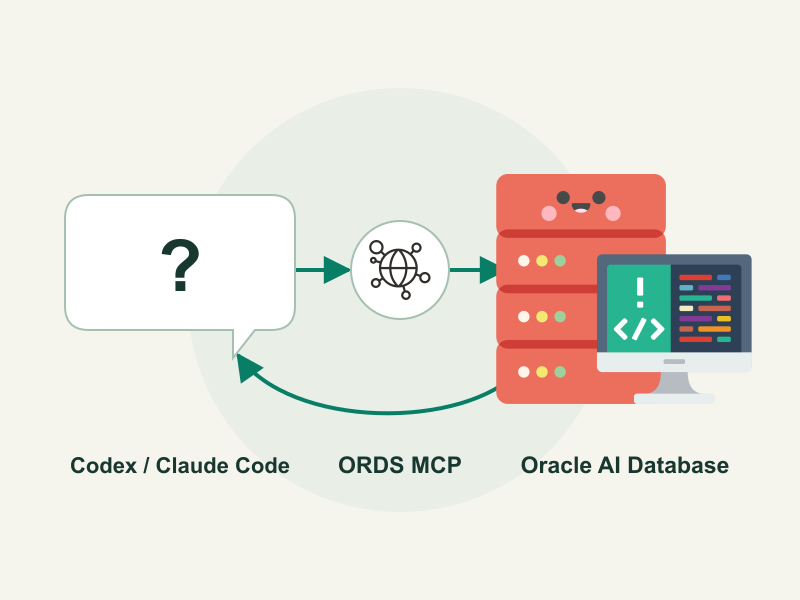
Ask your AI assistant a question about your data, and let it inspect the schema, write SQL, and run the query against Oracle AI Database.
In this walkthrough, we’ll connect Claude Code or Codex to Oracle AI Database Free through the Model Context Protocol (MCP) endpoint in Oracle REST Data Services (ORDS). Docker Compose starts the local lab, with Keycloak providing authentication.
By the end, you’ll be querying a sample dataset in plain English. Oracle’s configuration guide covers the endpoint and authentication settings used in the setup.

Download and start the sample
Check out the sample repository on GitHub. You need Docker Compose, curl, jq, and a coding assistant like Claude Code or Codex.
Once you have the sample downloaded, change into the ords-docker-compose directory and start the containers using the mcp profile:
cd ords-docker-compose
docker compose --profile mcp up -d --waitThe profile starts Keycloak in development mode and imports the lab’s realm configuration. The configure-mcp.sh script is run during startup to set ORDS MCP settings to point to Keycloak, and to configure a separate database pool for MCP.
The database startup script, ords_init.sql, creates the sales schema, seeds the data, and creates the MCP_READER user. The mcp-config service waits for Keycloak and the initialized schema, then configures ORDS.
The sales schema has four related tables in TESTUSER and four read-only views with the same names in MCP_READER:
| Table / view | Sample rows | Contents |
|---|---|---|
CUSTOMERS | 6 | Names, emails, cities, and country codes |
PRODUCTS | 8 | Product categories, current unit prices, and stock quantities |
ORDERS | 12 | Customer, order date, and status |
ORDER_ITEMS | 24 | Order, product, quantity, and purchase unit price |
Orders reference customers, and order items reference orders and products through foreign keys.
MCP_READER has CREATE SESSION and SELECT on the four base tables.
Inspect a token from Keycloak
Fetch a token from Keycloak using the helper script:
export ORDS_MCP_TOKEN=$(./scripts/get-token.sh)This token can be used to authenticate against ORDS MCP, and contains the following metadata:
| Setting | Value |
|---|---|
| Realm | ords-lab |
| Issuer | http://localhost:8081/realms/ords-lab |
| Audience | http://localhost:8888/mcp |
| Scope | urn:oracle:dbtools:ords:mcpserver:all |
| Grant | client_credentials |
ORDS fetches public signing keys from http://keycloak:8080/realms/ords-lab/protocol/openid-connect/certs over the Compose network. The issuer is the public localhost URL. Keycloak’s realm import and hostname configuration documentation describe these mechanisms.
Connect Codex desktop or CLI
Add or update ords in ~/.codex/config.toml, replacing the token helper script path with the absolute path to your checkout:
[mcp_servers.ords]
url = "http://localhost:8888/mcp"
http_headers_helper = "/bin/bash /absolute/path/to/oracle-database-java-samples/ords-docker-compose/scripts/get-token.sh --headers"The token script returns a raw token by default or authorization-header JSON with --headers. Restart Codex once to load the configuration. See the official Codex MCP documentation for additional details on configuring MCP.
Connect Claude Code
Merge this entry into .mcp.json in this lab directory, replacing the script path with the absolute path to your checkout:
{
  "mcpServers": {
    "ords": {
      "type": "http",
      "url": "http://localhost:8888/mcp",
      "headersHelper": "/bin/bash /absolute/path/to/oracle-database-java-samples/ords-docker-compose/scripts/get-token.sh --headers"
    }
  }
}The same helper supplies fresh authorization headers at connection time. After a tool call returns HTTP 401 or 403, Claude Code re-runs the helper, reconnects, and retries once.
See the official Claude Code dynamic-header documentation.
Try a query
In either client, ask:
Use the ORDS MCP server to discover the mcp-lab database, inspect its schema, and report the total order value by status.
The sample returns CANCELLED = 99.93, DELIVERED = 709.82, PENDING = 821.78, and SHIPPED = 584.38. Try some other prompts to experiment:
- Which customers have the highest order value, excluding cancelled orders?
- What is the order value by product category and customer country?
- How does October order value compare with November, excluding cancelled orders?
- Which products appear in pending orders, and how much stock is available?
For example, the category and country question can use this SQL through sql_run:
select c.country, p.category, sum(i.quantity * i.unit_price) as total
from customers c
join orders o on o.customer_id = c.id
join order_items i on i.order_id = o.id
join products p on p.id = i.product_id
where o.status <> 'CANCELLED'
group by c.country, p.category
order by c.country, p.category;Both Codex and Claude Code renew expired tokens through the helper above. See Oracle’s MCP configuration guide and MCP developer guide for the authentication and tool interfaces.
Customization
- Add database initialization scripts to
oracle/(e.g., modifyords_init.sqlor add your own scripts). - Environment variables can be adjusted in
docker-compose.yml(e.g., change passwords or ports).
Notes
- The database has no persistent data volume in this sample; recreating
ordsdbdiscards its data. Back up any work before switching images. - ORDS uses
container-registry.oracle.com/database/ords:latest. - Volumes persist configuration and downloaded APEX files; remove them with
docker-compose down -vif needed. - If you first started the database without APEX and later enable APEX, use
docker-compose down -vbefore restarting so the Oracle AI Database container initializes cleanly with APEX. - For more details on ORDS, visit the official documentation.
If you encounter issues, check container logs:
docker logs ords
docker logs ordsdb
Leave a Reply