By the end of this article, you should have a solid understanding of how consumers and message retention work when using Oracle Database for high-throughput, asynchronous, service-to-service messaging.
TxEventQ is a messaging system built into Oracle Database — that is, TxEventQ runs within the database, and provides a messaging interface for applications to asynchronously produce andconsume messages using databasetransactions.
Similar to other messaging systems, producers write data to queues or topics, and consumers receive those messages, using client APIs like JMS, kafka-clients, PL/SQL, and others.
Push vs. Pull Messaging
Before we talk about queues, topics, and consumer groups, it’s important to understand the differences between push-based and pull messaging.
Push: The event system invokes a callback or listener immediately when a message is enqueued. Consumers automatically receive messages, but they must stay online and ready.
Drawback: consumers must stay online to receive messages, and risk being overwhelmed during periods of high message volume.
Pull: Consumers (or consumer groups) explicitly dequeue at their own pace, maintaining independent positions in the queue. This allows flexibility, replay, and different rates of consumption.
Drawback: topic depth must be monitored and balanced among consumers.
Typically, TxEventQ consumers use pull-based message consumption, though there are exceptions:
JMS or callback consumers may implement listeners to receive events
Polling consumers may specify a non-blocking wait timeout to receive a message
Messages may be propagated between queues, between databases, or triggered within the database itself. This in-database processing is automatic and doesn’t require polling.
Message Retention (in TxEventQ since 21c)
Sometimes (quite often) we must retain messages in a queue or topic afterconsumption for message replay or auditing. We support this with a configurable message retention period, applied to a queue or topic.
To configure message retention, set the retention_time property of the dbms_aqadm.queue_props_t object to an integer value in seconds:
declare props dbms_aqadm.queue_props_t;beginprops.retention_time :=300; -- retention time in secondsdbms_aqadm.create_transactional_event_queue( queue_name =>'myqueue', multiple_consumers => TRUE, queue_properties => props -- properties containing retention time );end;/
After creation, it’s possible to modify retention time using the alter_sharded_queue PL/SQL procedure:
declare qprops dbms_aqadm.queue_props_t;beginqprops.retention_time :=500; -- retention time in secondsdbms_aqadm.alter_sharded_queue( queue_name =>'myqueue', queue_properties => qprops );end;/
By default, the system purges a message from a queue or topic after all consumer groups consume it. If you configure message retention, the system keeps the message for the specified duration after all consumers receive it.
Subscribers and Consumer Groups
A Subscriber or Consumer Group is a group of processes that subscribe to a queue or topic to consume messages.
Consumer Groups allow us to parallelize message consumption — The number of consumer processes in a group is directly proportional to message throughput.
The maximum number of consumers in a group is equal to the shards of a queue or topic. Each shard accepts one consumer from a group. If the group has fewer consumers than shards, some handle multiple shards. If it has more, the system leaves the extras idle.
You can configure the shards of a queue or topic with the dbms_aqadm.set_queue_parameter procedure, modifying the shard_num parameter to the desired value. Run the procedure after a queue is created, but before it is started.
begin-- create the queue ...dbms_aqadm.set_queue_parameter('myqueue', 'shard_num', 6);--- then start queue ...end;/
Note: Users of Oracle Database 19.27 or earlier using sticky dequeue should ensure there is a 1–1 mapping between consumers and queue shards to avoid idle shards. After database version 19.27 (including 23ai), this limitation is no longer present.
begin-- create the queue ...-- must be set to make sure that order is guaranteed at the consumerdbms_aqadm.set_queue_parameter('mytopic', 'sticky_dequeue', 1);-- must be set to make sure that order of the events per correlation in placedbms_aqadm.set_queue_parameter('mytopic', 'key_based_enqueue', 1);-- then start queue ...end;/
Queues
A Queuehas exactlyone, automatically created consumer group.
We can use DBMS_AQADM PL/SQL package to create a queue. In this example, we’ll specifically create a JMS queue using the dbms_aqadm.JMS_TYPE payload type:
-- Create a Transactional Event Queuebegindbms_aqadm.create_transactional_event_queue( queue_name =>'myqueue',-- Payload can be RAW, JSON, DBMS_AQADM.JMS_TYPE, or an object type.-- Default is DBMS_AQADM.JMS_TYPE. queue_payload_type =>DBMS_AQADM.JMS_TYPE,-- One consumer group per message (a queue) multiple_consumers => false );-- Start the queuedbms_aqadm.start_queue( queue_name =>'myqueue' );end;/
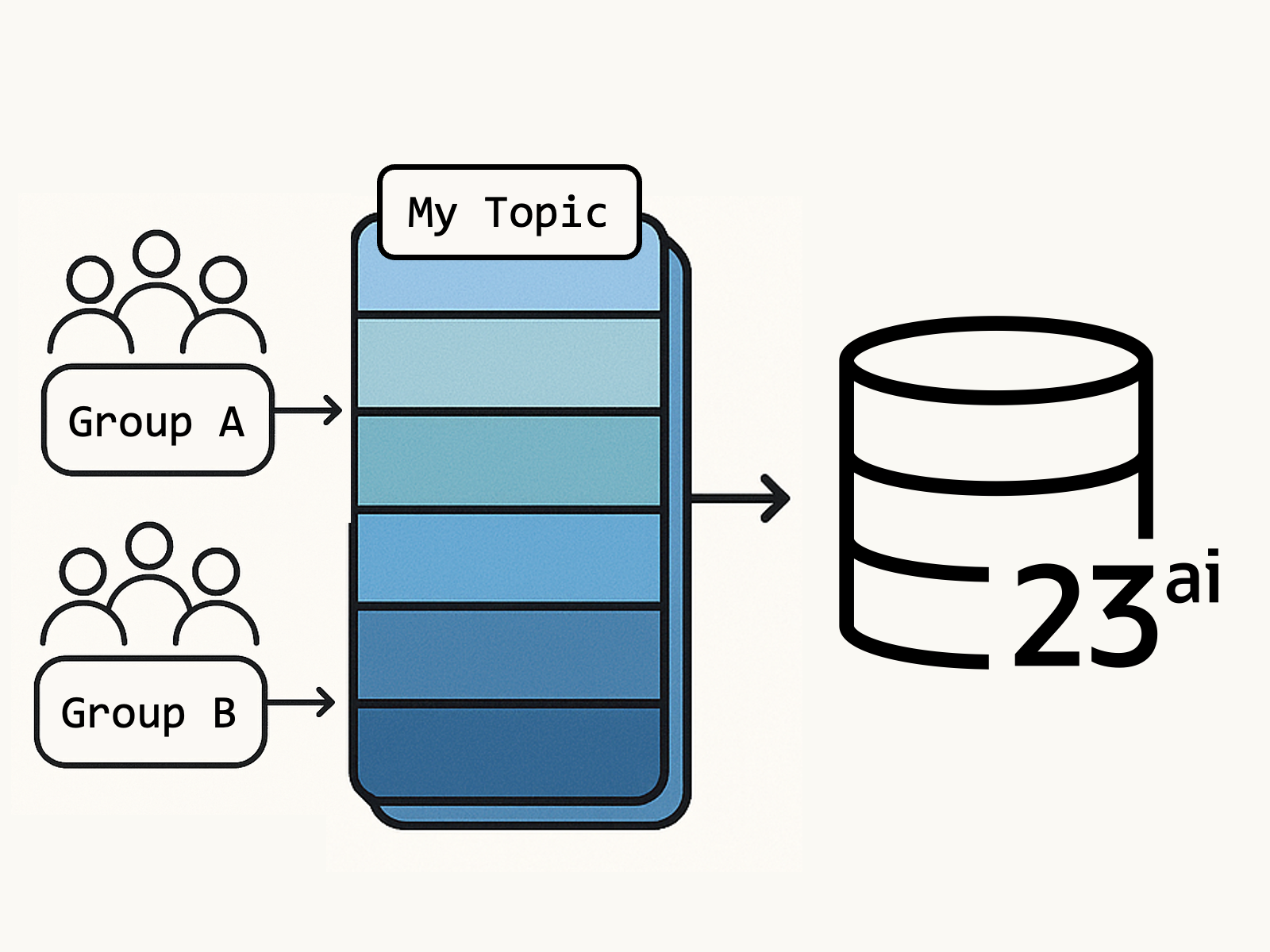
A Topic issimilar to a queue, with a few key differences. A topic may have any number of consumer groups. Topic consumers must initialize their consumer groups using the dbms_aqadm.add_subscriber PL/SQL procedure.
In the following code snippet, we create a topic and two consumer groups, example_subscriber_1 and example_subscriber_2 :
-- Create a Transactional Event Queuebegindbms_aqadm.create_transactional_event_queue( queue_name =>'mytopic',-- Payload can be RAW, JSON, DBMS_AQADM.JMS_TYPE, or an object type.-- Default is DBMS_AQADM.JMS_TYPE. queue_payload_type =>DBMS_AQADM.JMS_TYPE,-- Multiple consumers for each message (a topic) multiple_consumers => true );-- Start the queuedbms_aqadm.start_queue( queue_name =>'mytopic' );end;/-- Create two consumer groups for the topicbegindbms_aqadm.add_subscriber( queue_name =>'mytopic', subscriber =>sys.aq$_agent('example_subscriber_1', null, null) );dbms_aqadm.add_subscriber( queue_name =>'mytopic', subscriber =>sys.aq$_agent('example_subscriber_2', null, null) );end;/
When we subscribe, we must use the name of an existing consumer group — see the following Java snippet using the JMS API:


Leave a Reply